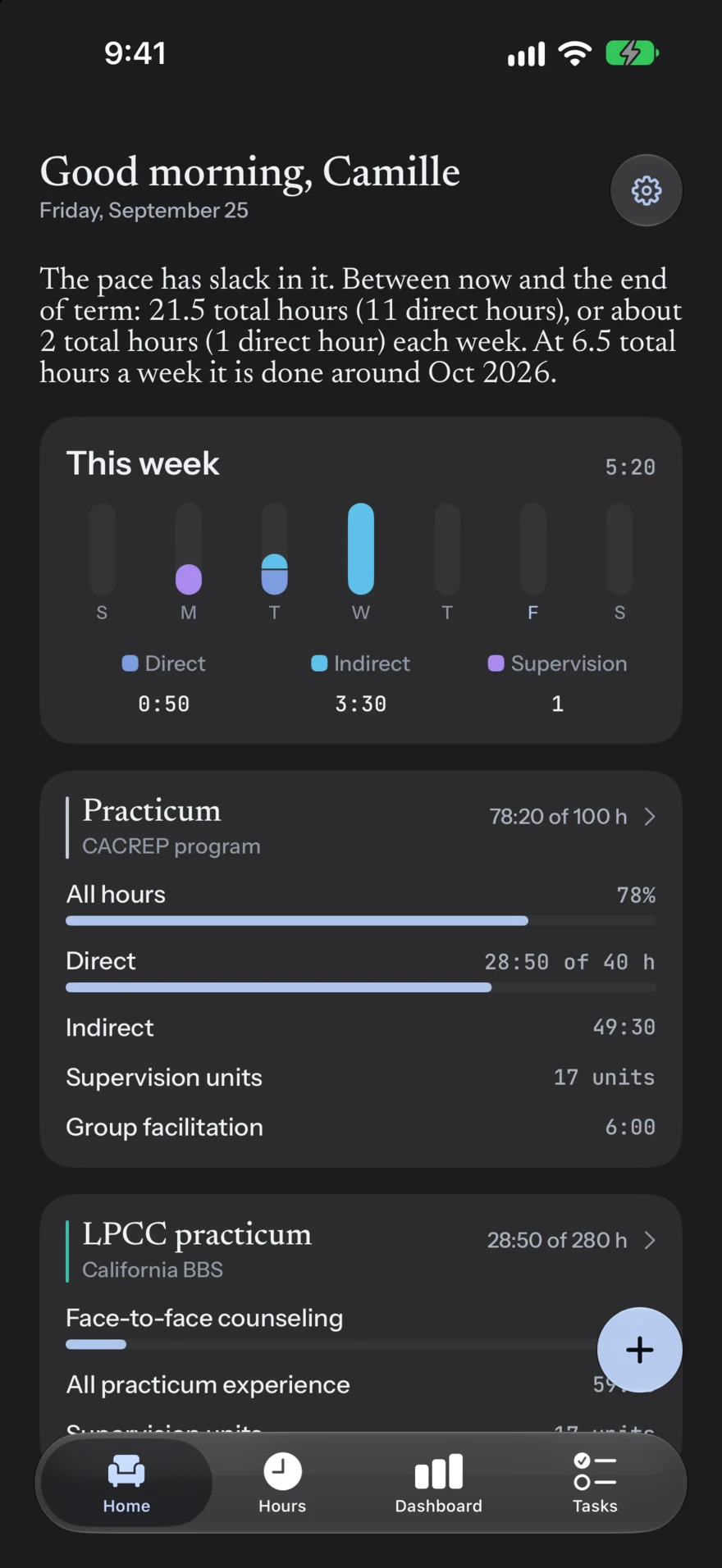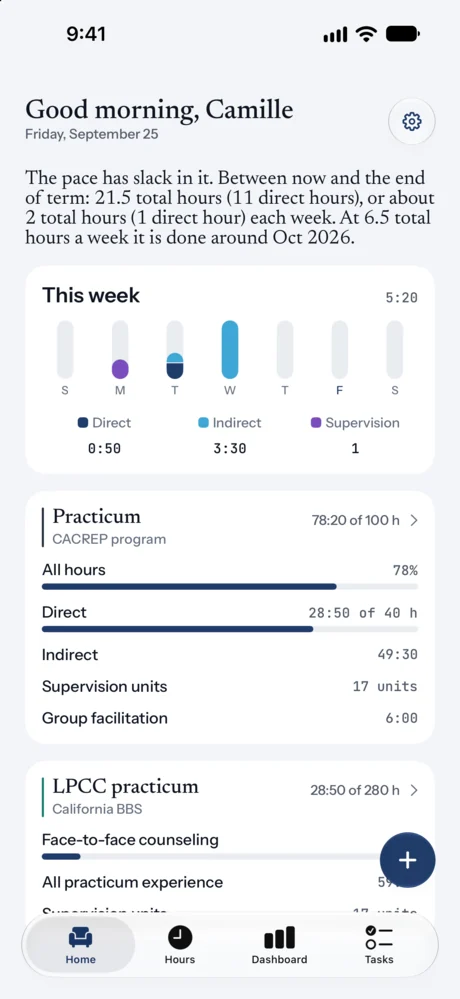
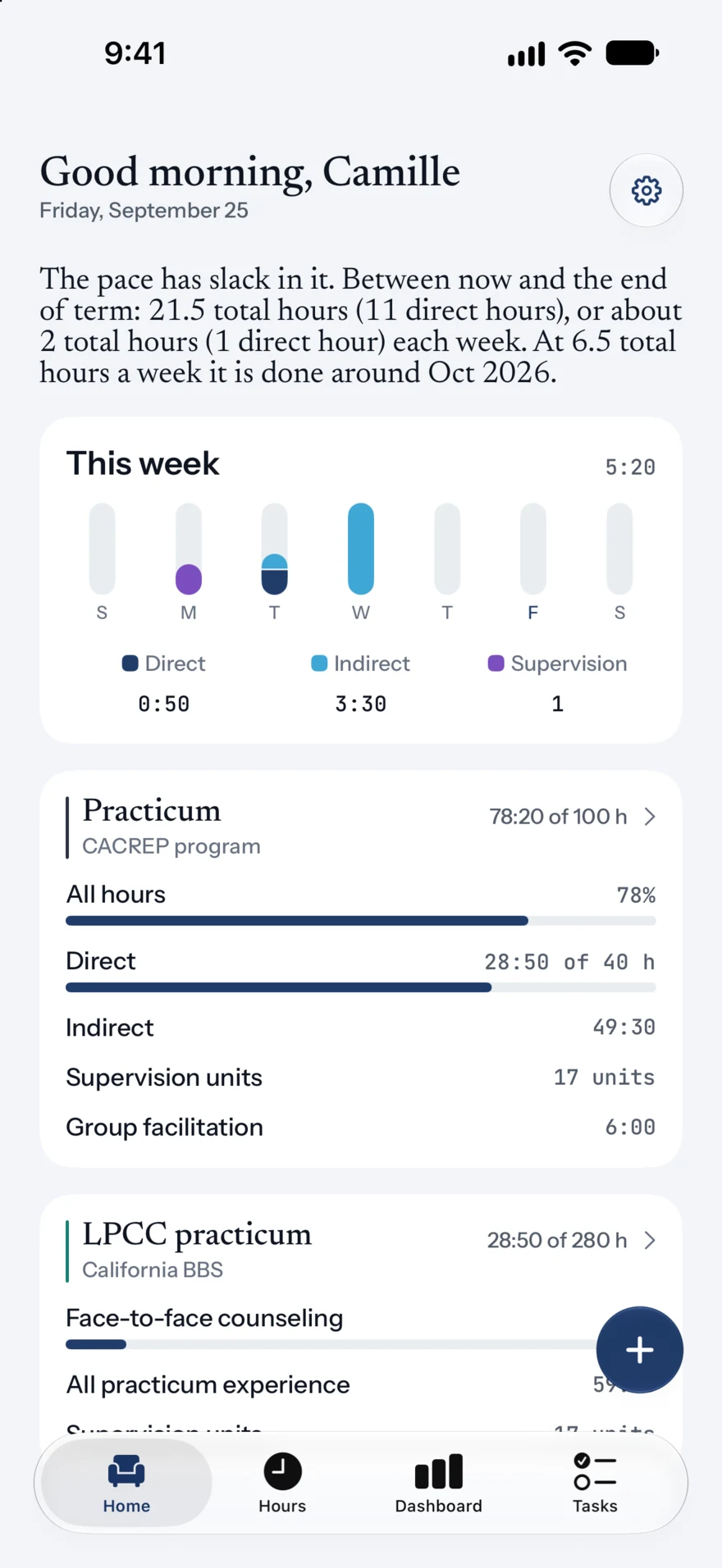
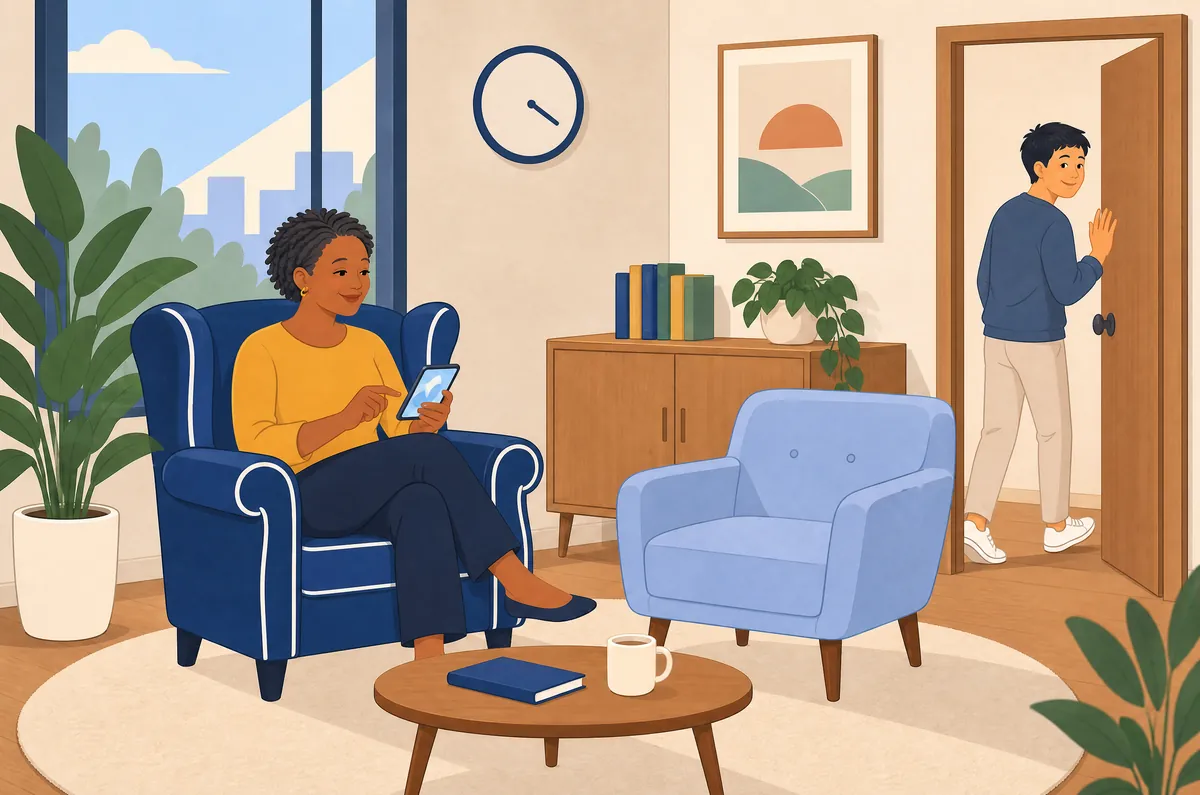
PracticumCACREP program
78:20 of 100 h
All hours78:20
Direct28:50 of 40 h
Indirect49:30
Supervision units17 units
For therapists in training
Accrue is the iPhone ledger for MFT, counseling, social work and psychology trainees. Record a session in seconds and see how your program and your licensing board each count it, with the rule and its source a tap away.


The problem
Somewhere between your first practicum and your license sit thousands of supervised hours, several sets of rules and a stack of forms you will need again years from now. Most trainees keep them in a spreadsheet they are afraid to touch.
 Friday night
Your program wants its categories. Your board wants different ones. So you enter the same session twice, by hand, and hope the two totals still agree at graduation.
 Every week
Supervision units per site, weekly minimums, caps on non-clinical time, forty hours in any seven days. The arithmetic changes by state, by license and by phase.
 Years later
Paper weekly logs, a supervisor between sessions and a folder that has to survive two moves before the board asks to see it.





One entry, one place, on the phone already in your pocket. Accrue does the counting your program and your board would otherwise leave to you.
One entry, every ledger
Accrue keeps a ledger for every requirement you are working toward: your degree program, your board’s pre-degree rules, and later your post-degree license. Log an entry once and each ledger evaluates it independently. Pick one and watch.
Figures are from Accrue’s fictional sample student, a California counseling trainee at 78 of her program’s 100 practicum hours. Your ledgers depend on your program, state and license.
Inside the app
Home, Hours, Dashboard and Tasks, with one plus button that is never more than a thumb away.
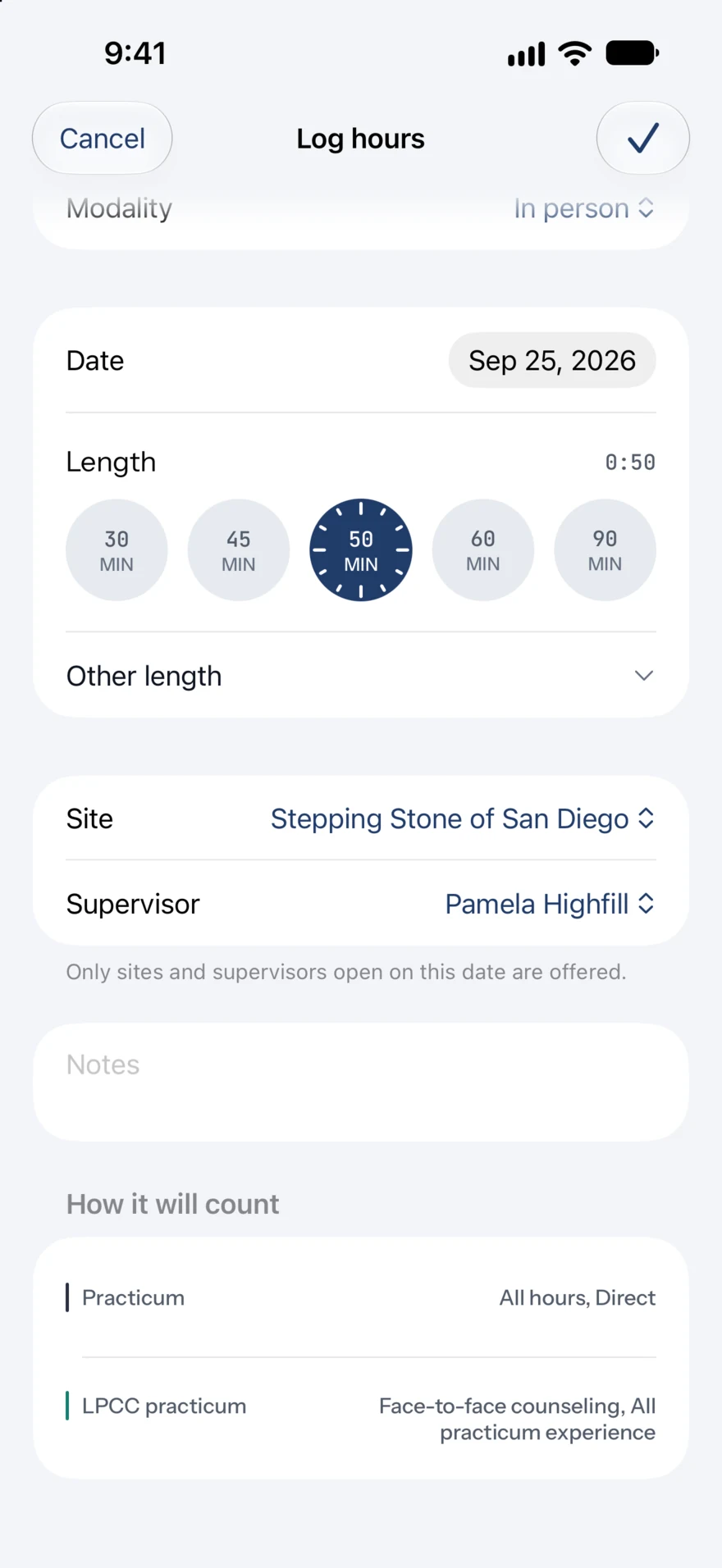
Tap the plus button, choose the activity and the length, and save. Client type, age group and modality are there when a ledger needs them. Accrue remembers your recent choices, so the next entry starts where the last one left off.
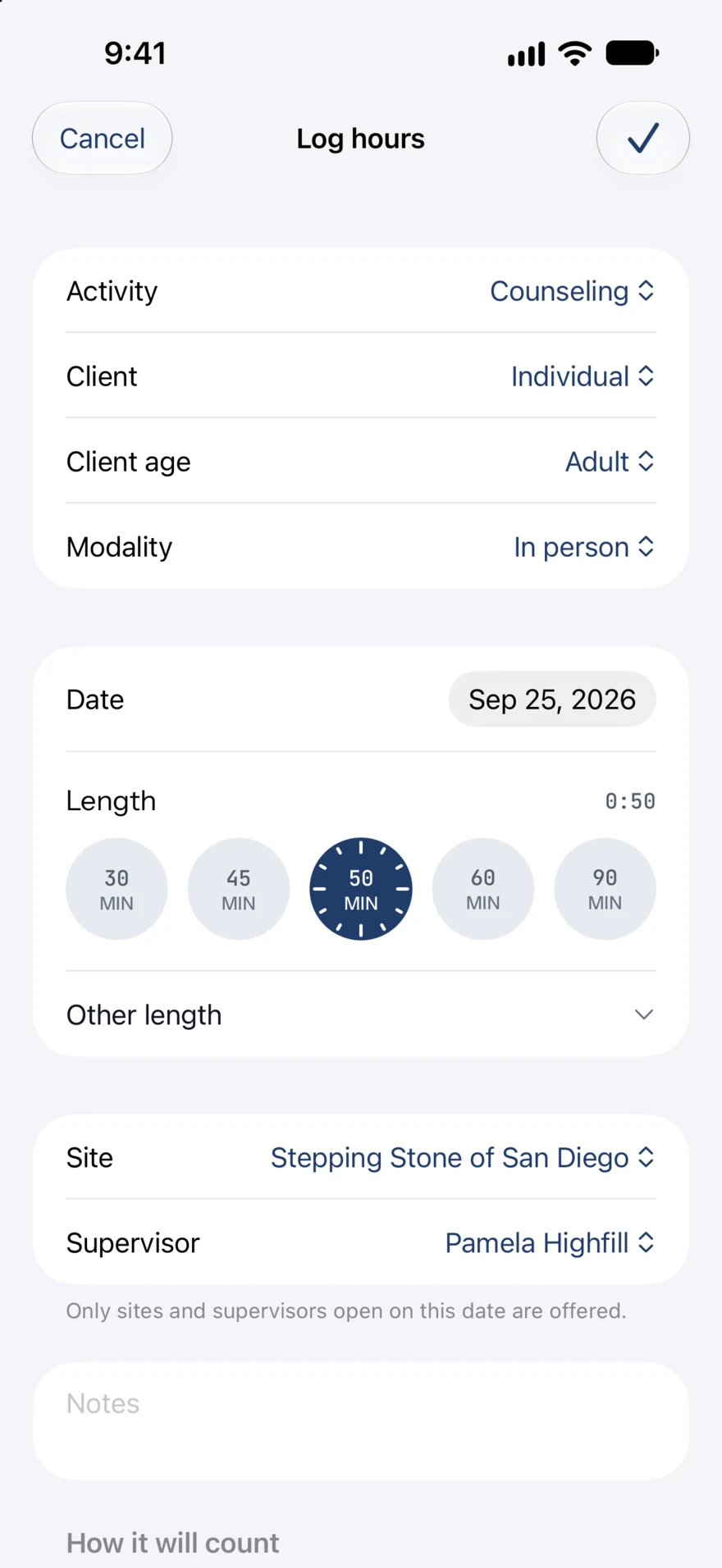
Below every entry, Accrue lists each ledger and the columns the entry will reach. Only the sites and supervisors you had on that date are offered, so a past entry keeps its real context.
Home tells you whether you are on pace and shows the arithmetic: what is left, the weeks remaining and what you have been logging lately. This week’s direct, indirect and supervision sit right underneath.
“The pace has slack in it. Between now and the end of term: 21.5 total hours (11 direct hours), or about 2 total hours (1 direct hour) each week.”
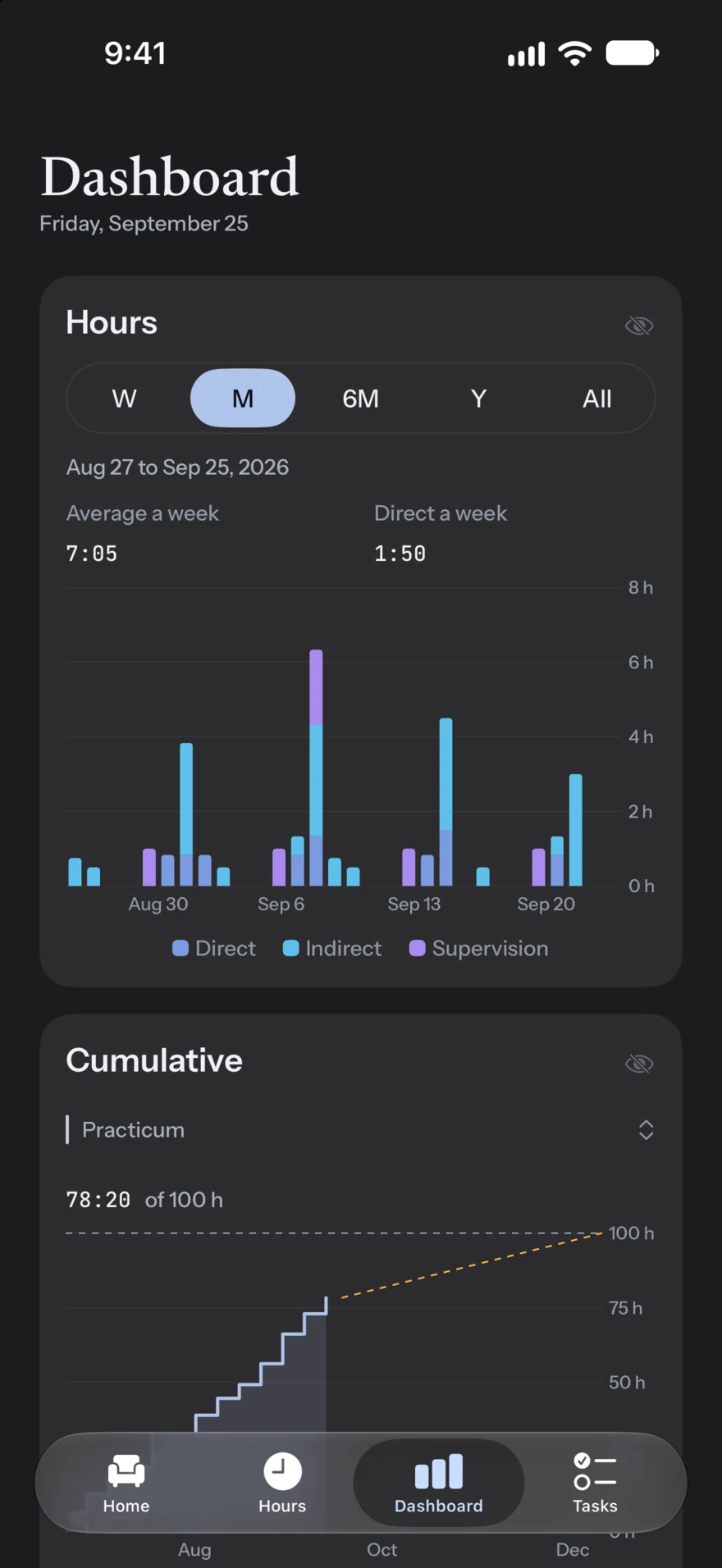
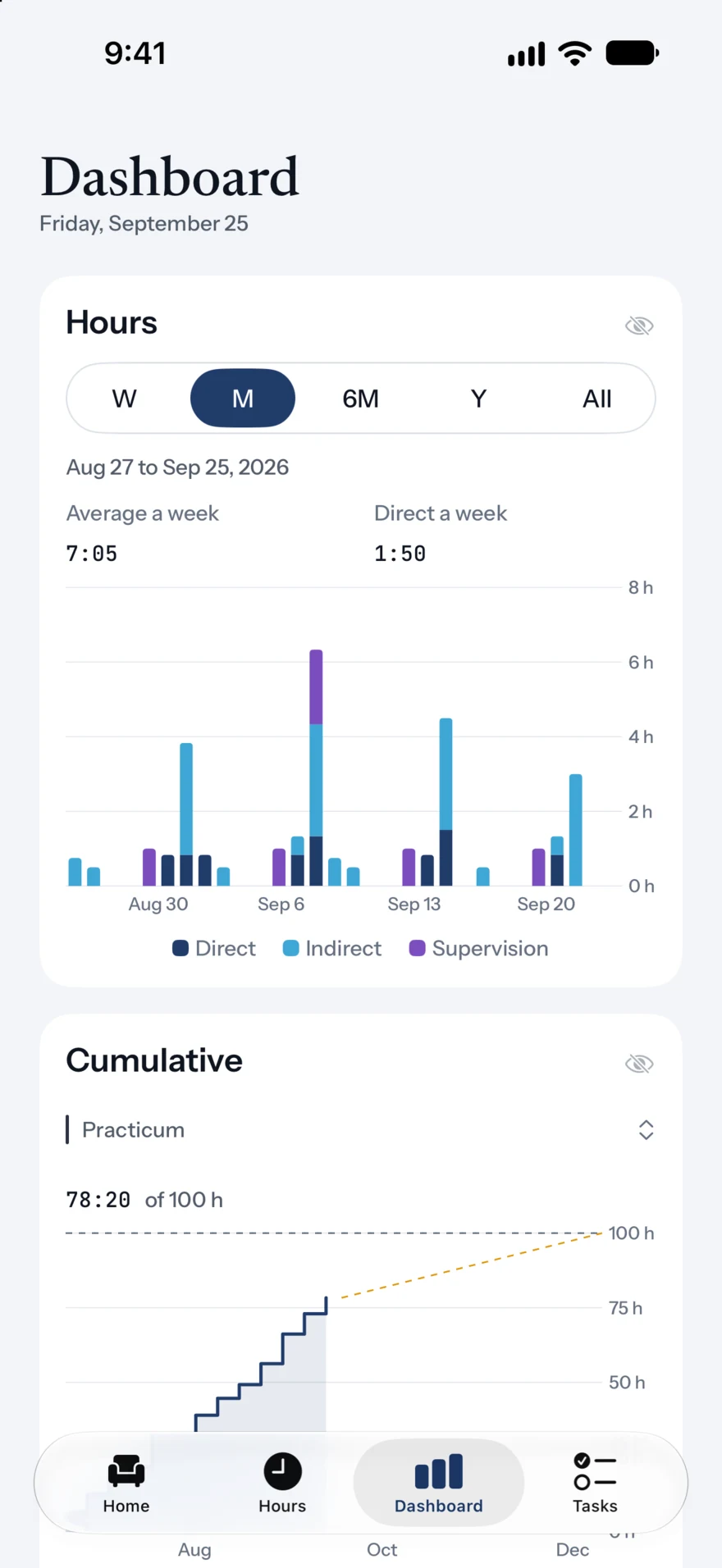
Hours over time, cumulative progress toward each target, your mix of client hours and the weeks that qualified. Choose the cards you want, reorder them and pin your favorites to Home.
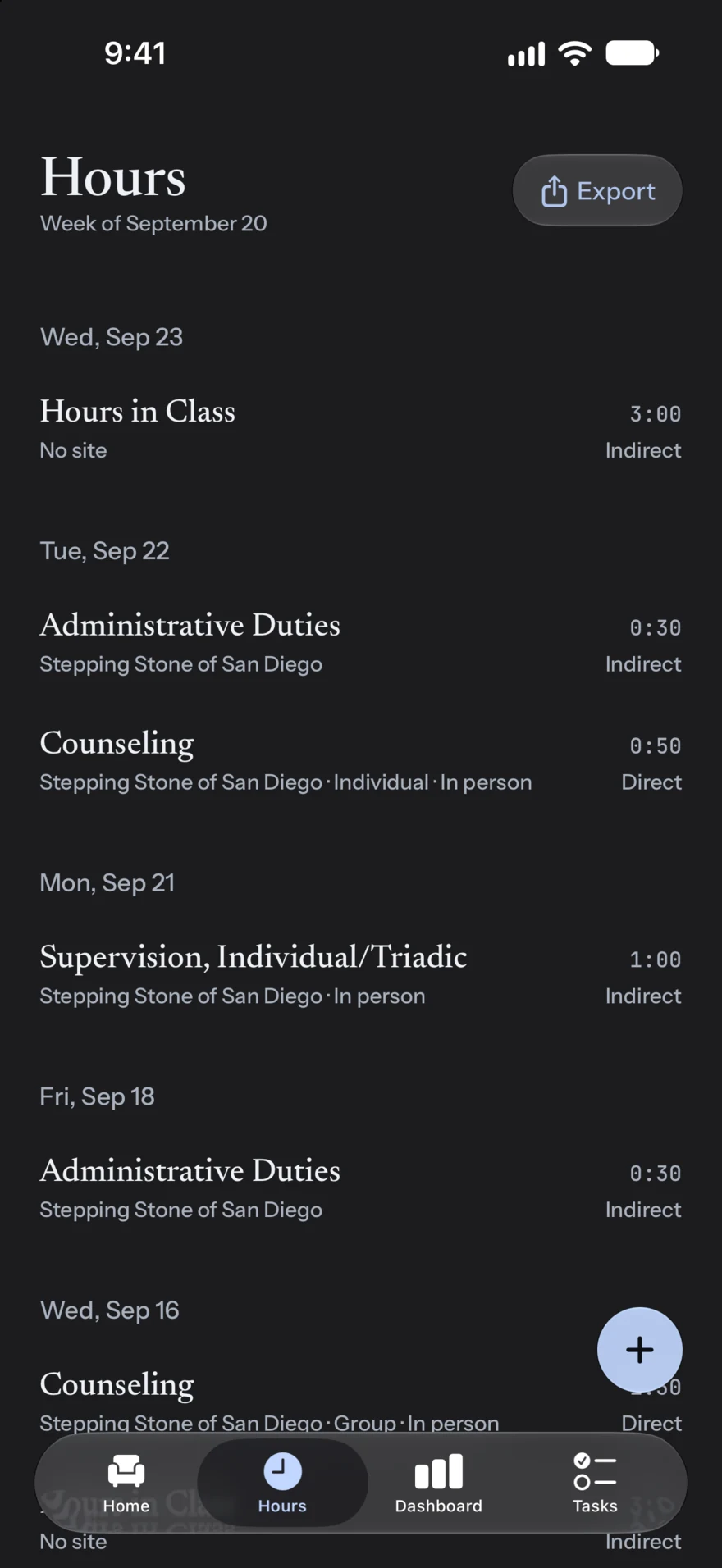
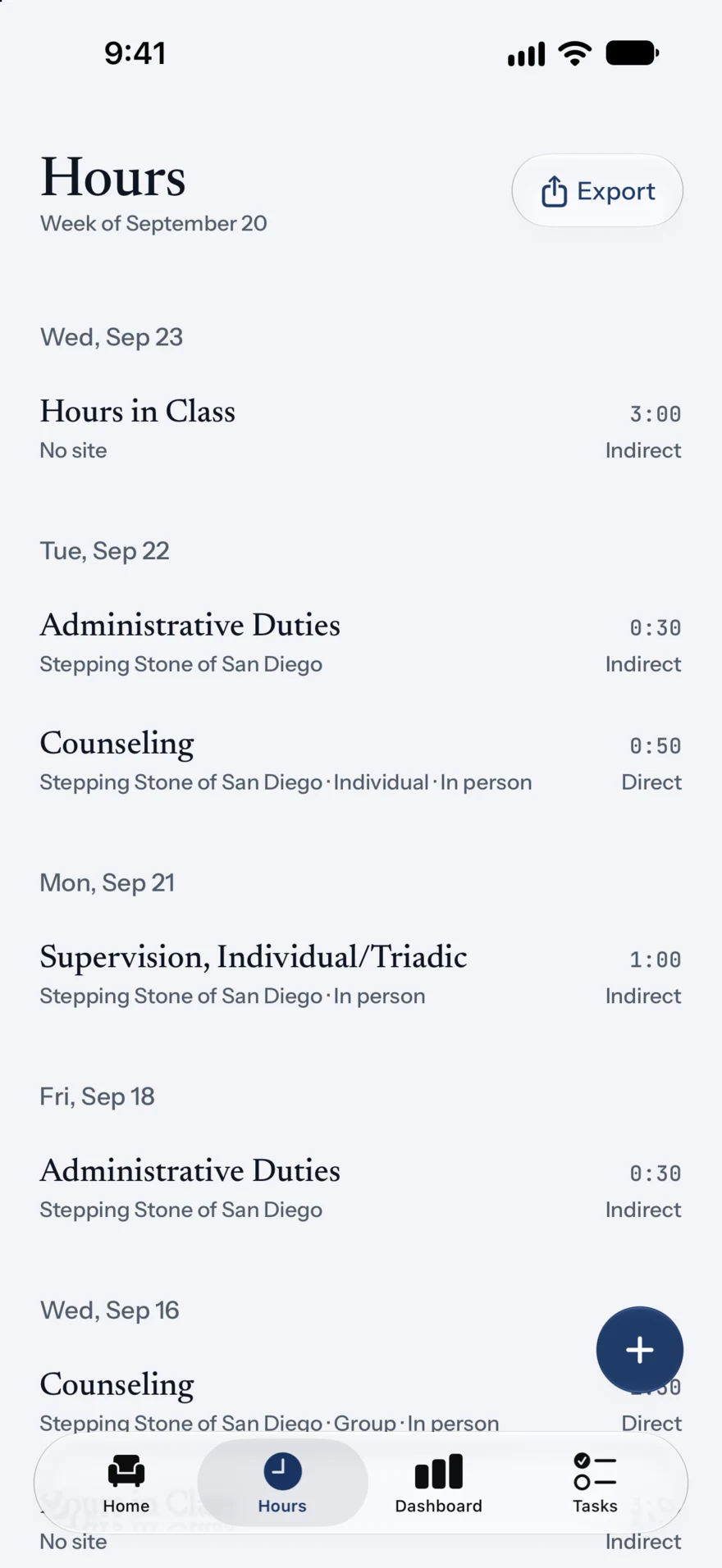
Your full record grouped by day, with site, format and category on every row. Edit anything, and export from the top of the list when someone asks for it.
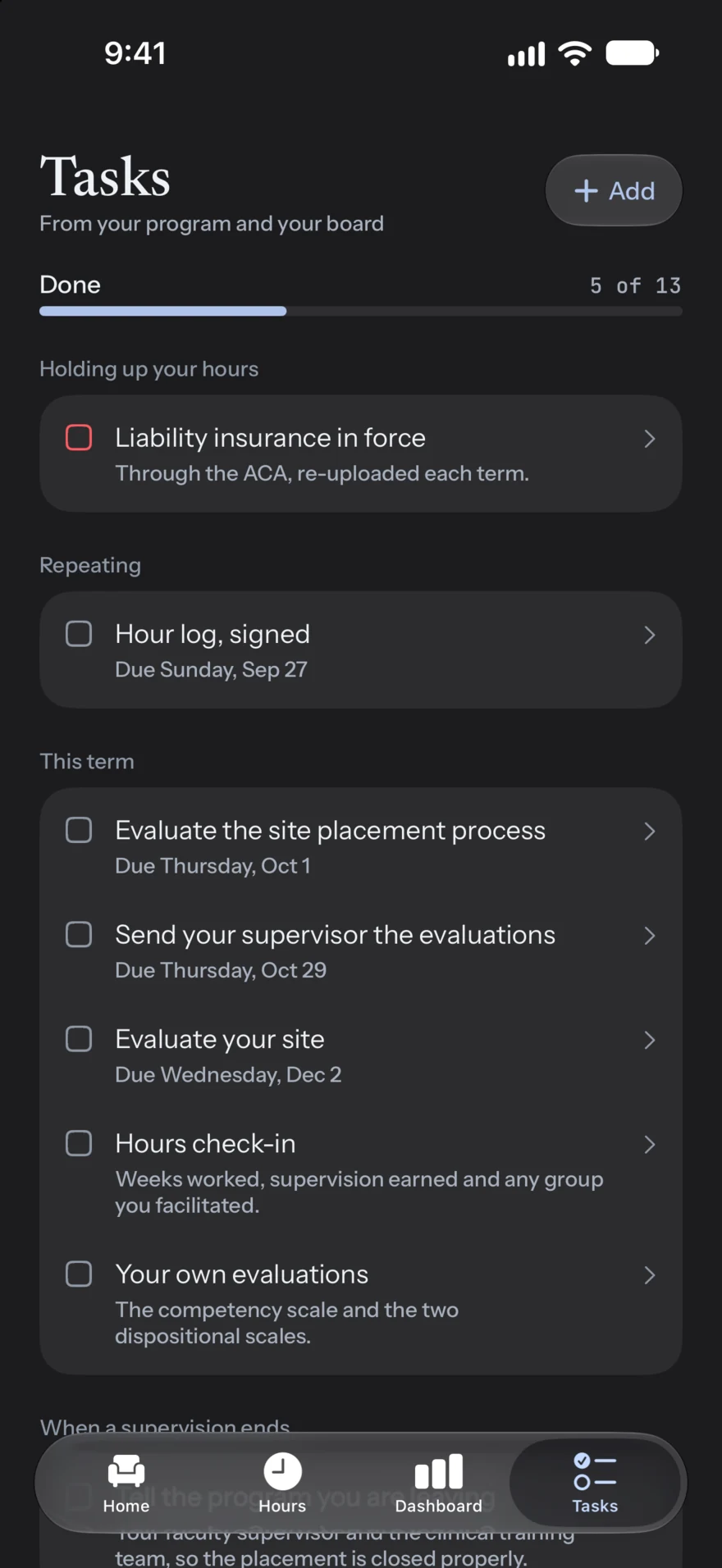
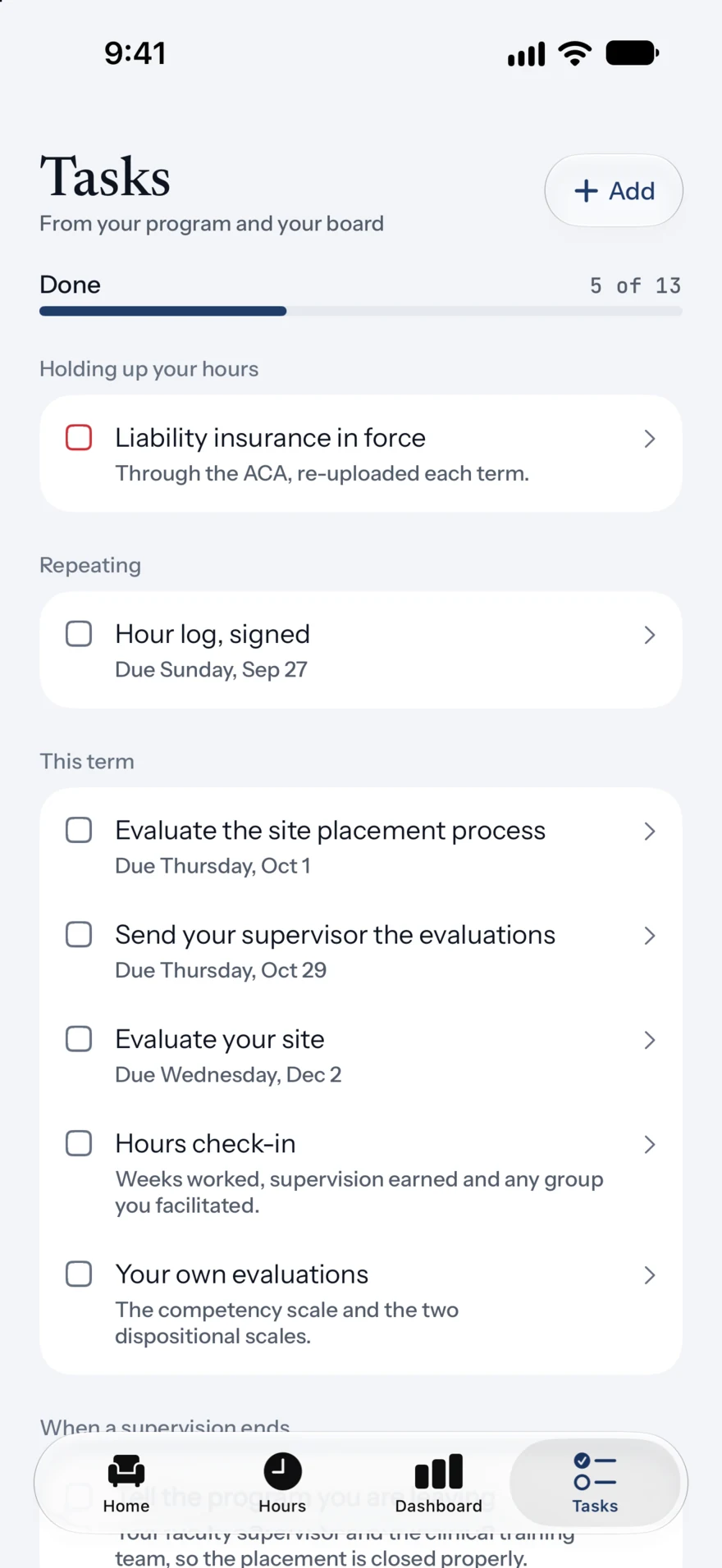
Checklists from your program and your board: evaluations, insurance, signed logs, check-ins. Add your own. Dated tasks get one local reminder before they are due, and nothing nags you about work you already logged.
Your usual site, supervisor and format are filled in for you.
Import past hours from Accrue’s CSV template. Importing the same file twice never duplicates an entry.
Sign in with Apple or email. A new phone picks up where the old one left off.
Find your CACREP, COAMFTE, CSWE or APA program and start with the right ledger.
A single local notification before a dated task is due. Permission is asked only when you turn it on.
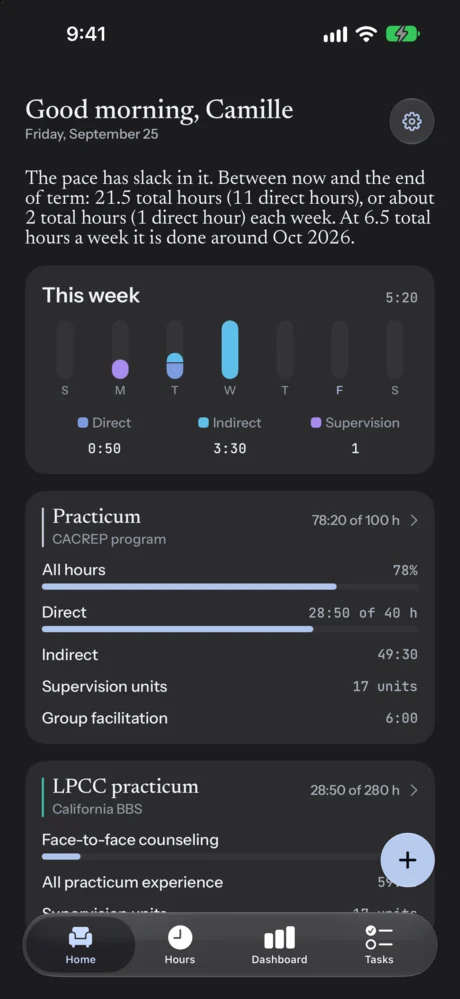
Calm type, figures that line up, and a dark mode for late evenings.
Session timer
Choose a planned length and tap Start. The session follows you to the Lock Screen and the Dynamic Island, one notification tells you when time is up, and ending it writes the entry for you.
Rules you can read
Every ledger lists its requirements in plain language, the date the rule took effect and the date it was last checked against the board’s or accreditor’s published text. When an entry or a week doesn’t count, Accrue tells you why instead of quietly leaving it out.
Associate Marriage and Family Therapist · post-degree experience
Supervision by phone credits nothing on this ledger. California’s BBS experience presets count supervision in person or by live video. Log a telephone session and Accrue records it, then says plainly why the ledger left it out.
An hour with your supervisor, alone or with one other supervisee, makes one unit at that site.
Group supervision counts in whole two-hour blocks inside the week. Accrue never rounds a leftover half into a unit.
Supervision at one site never covers a week of work at another. Every surface uses the same unit arithmetic.
Every other state gets a placeholder ledger, labeled as one. Your hours count toward it without a target, and no figure is ever invented. Accrue reports how published rules apply to your records; your board decides what it accepts.
Signatures and paperwork
Each week Accrue prepares a summary for every site and supervisor. Review it, pass the phone across the desk, and your supervisor signs on the screen. The signed PDF stays with your records for the day someone asks to see it.

| Category | S | M | T | W | T | F | S | Total |
|---|---|---|---|---|---|---|---|---|
| All hours | · | 2:50 | 1:30 | 3:00 | · | 0:30 | · | 7:50 |
| Direct | · | 1:40 | · | · | · | · | · | 1:40 |
| Indirect | · | 1:10 | 1:30 | 3:00 | · | 0:30 | · | 6:10 |
| Group facilitation | · | · | · | · | · | · | · | 0:00 |
I certify that the hours recorded above were completed under my supervision during the week shown, that the supervision noted was provided, and that this log is accurate.
Accrue recorded-hours summary. Use the authority’s current form for board submission. Fictional sample record.
One per week, site and supervisor. A week that hasn’t met its supervision requirement can’t be signed, so problems surface early.
A comprehensive PDF with totals by ledger, category, site and supervisor.
Dates, activities, durations, sites, supervisors, client categories, modalities and your own notes, ready to copy or share.
The board’s current weekly logs and in-state experience verification, filled in by supervisor and setting.
Links to the official forms, with what each board asks you and your supervisor to do.
Bring earlier hours in from a CSV template without retyping a single row.
Your path
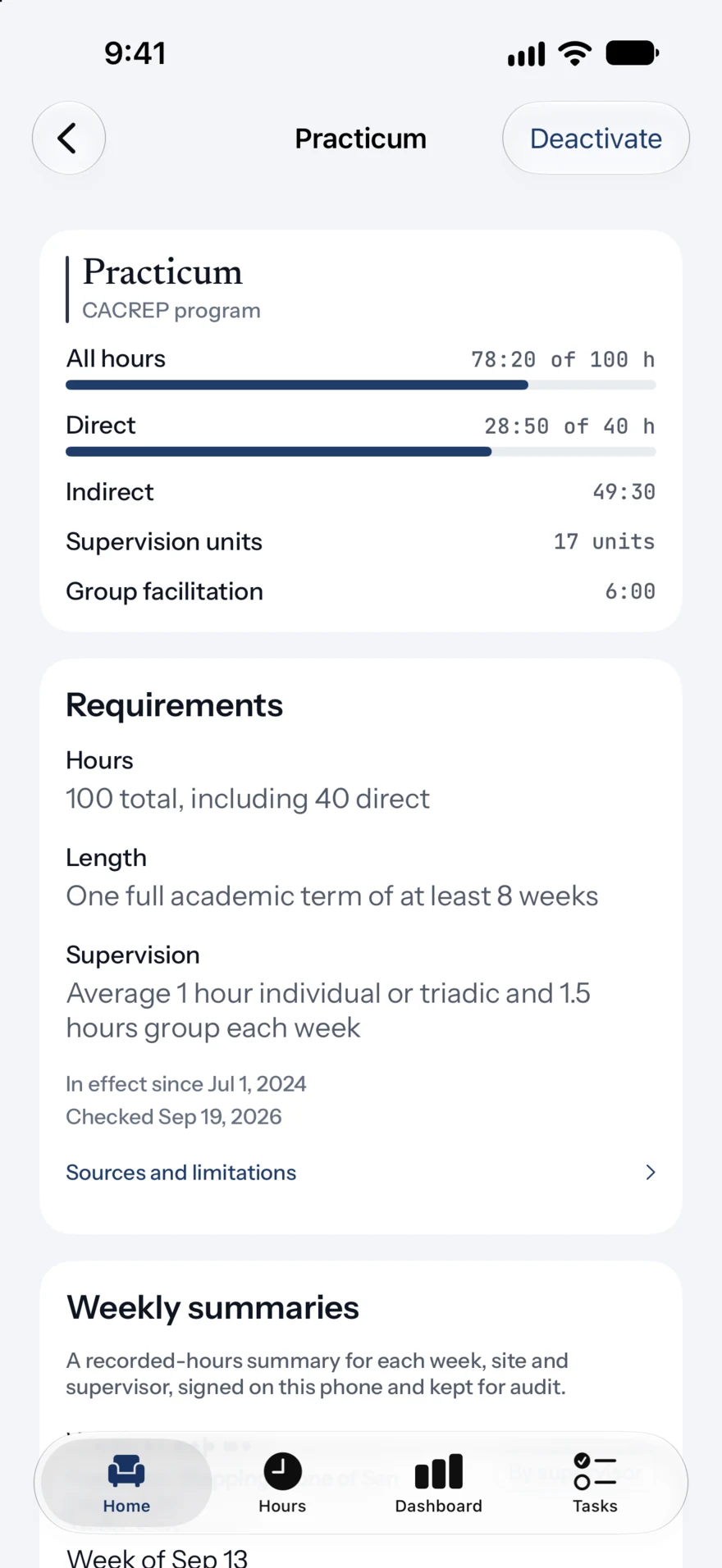
Program, fieldwork, class schedule, graduation, registration and license live on one path. Sites and supervisors keep their start and end dates, so older entries hold their original context after you move on.

Program and pre-degree board ledgers count side by side.
New site, new supervisor, same record. Practicum hours stay in practicum.
Pre-degree ledgers close and post-degree ledgers open, with history kept where it was earned.
Record your registration number and the dates it covers.
Every hour, form and signature already in one place when you apply.

Add your class schedule once. Each meeting is recorded as class time on your program ledger, where your program counts it, and it never reaches a board ledger.
Pick your program from the accredited directory and Accrue offers the licenses it prepares you for, with the ledgers each one needs.
Who it’s for
One app for every license family, because many programs, cohorts and supervision groups already mix all four.

COAMFTE clinical and relational hours, and board ledgers that keep couples, family and child work separate where the rules require it.

CACREP practicum and internship ledgers, plus the board’s pre-degree and associate rules in supported states.

CSWE field education toward 900 hours, then the post-degree clinical hours your board requires.

APA practicum and internship ledgers, then supervised professional experience toward licensure as a psychologist.

Privacy
Accrue records the type, date and length of your work. It was designed so that nothing about a client ever needs to be typed into it.
Why switch
Accrue was built for the phone in your pocket and for every authority that counts your hours.
| Capability | Accrue | Spreadsheet | Paper log |
|---|---|---|---|
| Log from your phone in seconds | One plus button | On a laptop, later | By hand |
| One entry counts for program and board | Every ledger at once | Copy it twice | Write it twice |
| Supervision units, caps and weekly rules | Calculated | Formulas you maintain | Mental math |
| Rule sources and check dates | On every ledger | No | No |
| Supervisor signature | On your screen | Print, sign, scan | On paper |
| Session timer and Live Activity | Built in | No | No |
| Backed up and synced | Automatically | If you remember | One copy |
Pricing
Each plan includes every ledger, export and feature. Try it free before you pay.
7-day free trial
Start monthly14-day free trial
Start your free trialPay once, keep it forever.
Buy lifetimePrices shown in US dollars and may vary by storefront; the App Store confirms the price before purchase. Free trials are for eligible new subscribers. Subscriptions renew automatically unless canceled at least 24 hours before the end of the current period. There is no free version of Accrue. Deleting your Accrue account does not cancel an Apple subscription.
Questions
Something else? Write to admin@roomtogrowllc.com with your state and the licenses you are pursuing.
All four families: marriage and family therapy, professional counseling (LPC, LPCC, LMHC, LCPC, LCMHC and similar titles), clinical social work and psychology. Program ledgers follow CACREP, COAMFTE, CSWE and APA standards.
Board rule presets cover selected tracks in California, Texas, New York, Florida, Pennsylvania, Illinois, Ohio, Massachusetts, Virginia, Washington, Michigan, North Carolina and Georgia.
Every other state gets a placeholder ledger that is clearly labeled as one. It counts your hours without a target, so nothing is lost while that state’s figures are researched. Accrue never presents an unverified figure as an official requirement.
No. Accrue is a record-keeping aid. It reports how the published rules represented in the app apply to your records. Your board, school or program decides whether it accepts your hours and whether you are eligible.
From each board’s and accreditor’s published text: statutes, regulations, standards and board guidance. Every ledger shows its source, when the rule took effect and when it was last checked, along with anything the app doesn’t model. Sources are revisited at least every six months and whenever a published change takes effect.
Yes. Open a weekly summary, review it, then hand the phone to your supervisor to sign on the screen. The signed summary is kept as a PDF with your records. A signature in Accrue doesn’t replace a board’s own forms or submission process.
Use Accrue’s CSV template to bring them in. Importing the same file twice doesn’t create duplicates.
Yes. Your records live on your iPhone, so you can log hours anywhere. They sync to your account the next time you’re online.
Accrue is an iPhone app. Your account syncs across iPhones signed in to it.
Subscriptions are managed by Apple. Open the Settings app, tap your name, then Subscriptions. Deleting the app or your Accrue account doesn’t cancel a subscription on its own.

Start with this week. Accrue will handle the counting from here to your license.