See progress by ledger
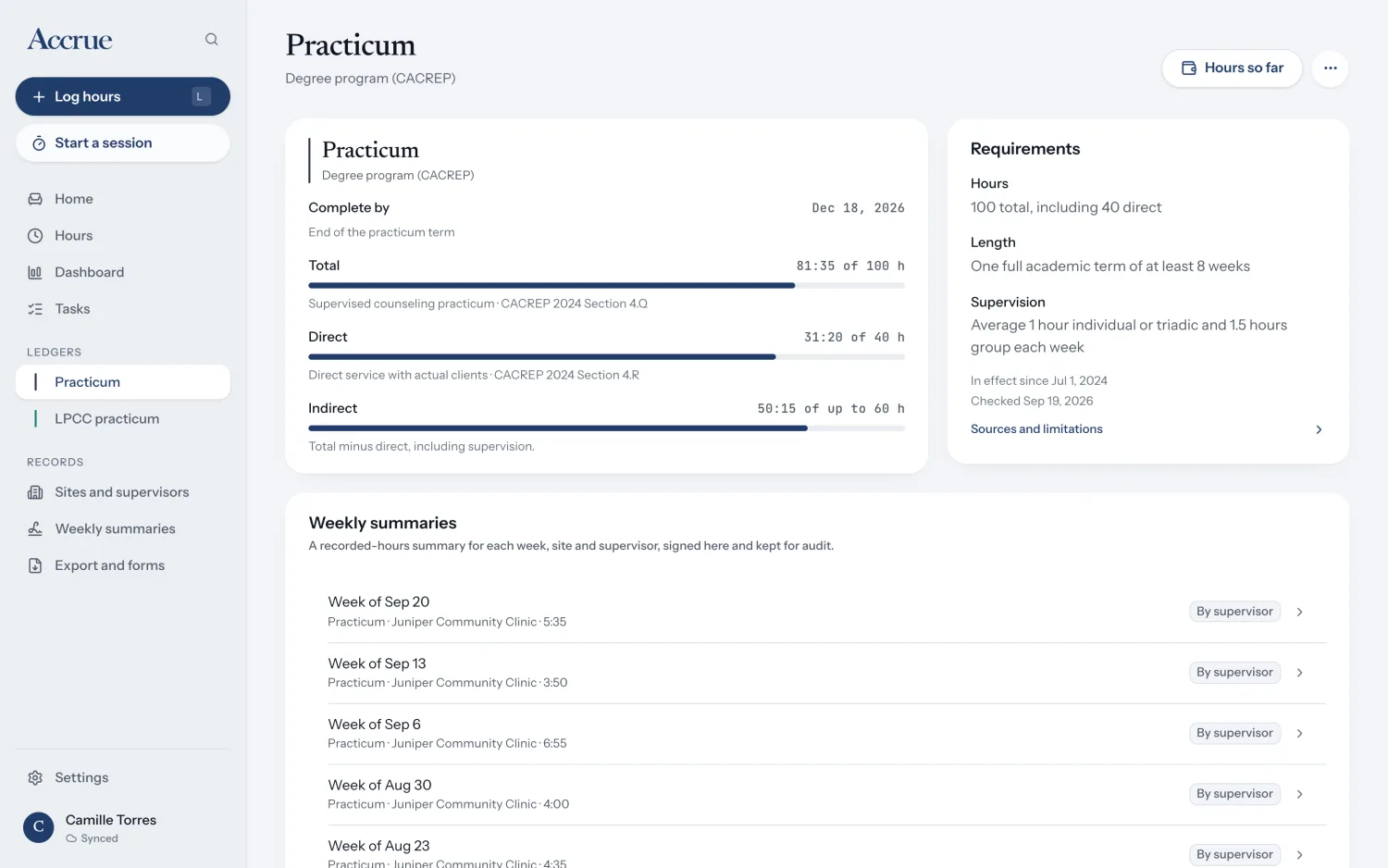
Home and Dashboard show totals, direct and indirect categories, pace and weekly progress. Open a ledger to see its requirements, source, dates and stated limitations.
Accrue brings your training hours, program progress and board ledgers together. Log an activity once on iPhone or the web, then review how each available ledger applies its own published rules.
Made for marriage and family therapy, professional counseling, clinical social work and psychology trainees. A single account keeps your record in sync across the iPhone app and browser.
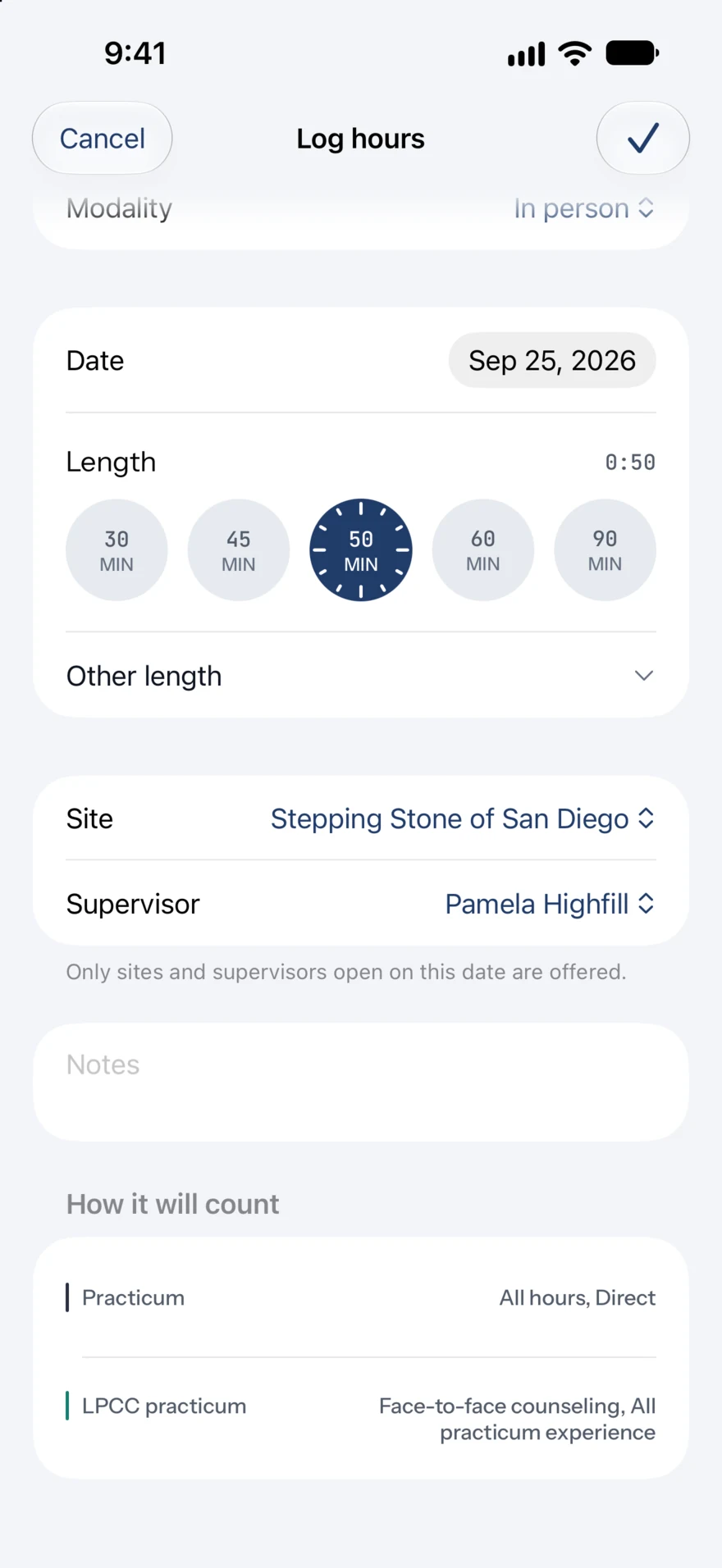
Choose an activity, duration, site and supervisor. Add the client category or format when a ledger needs it. Accrue remembers recent choices, and the session timer can track time as you work.
Before you save, see which ledgers receive the entry and why. A program ledger and a board ledger assess the same activity independently, so one record can move them by different amounts.
Home and Dashboard show totals, direct and indirect categories, pace and weekly progress. Open a ledger to see its requirements, source, dates and stated limitations.
Review hours by date, site and supervisor. Prepare a separate weekly summary for each site and supervisor, then let your supervisor sign on the iPhone or web screen.
Make a date-range PDF or spreadsheet-ready CSV. Accrue also prepares supported California BBS forms and links the Texas and New York filing materials it supports. Import earlier entries from Accrue’s CSV template; importing the same file again does not add duplicates.
Your account syncs records between iPhone and web. Tasks keep dated program and board obligations in view. On iPhone, you can log without a connection; changes sync when you are online again.
The web app puts Home, Hours, Dashboard, Tasks and your ledgers beside a searchable record. Use a keyboard to move between pages, review entries, prepare exports and turn the screen around for a supervisor’s signature.
The web app is for when you are online. Your iPhone remains the place for the Lock Screen timer, Live Activity and reminder notifications.
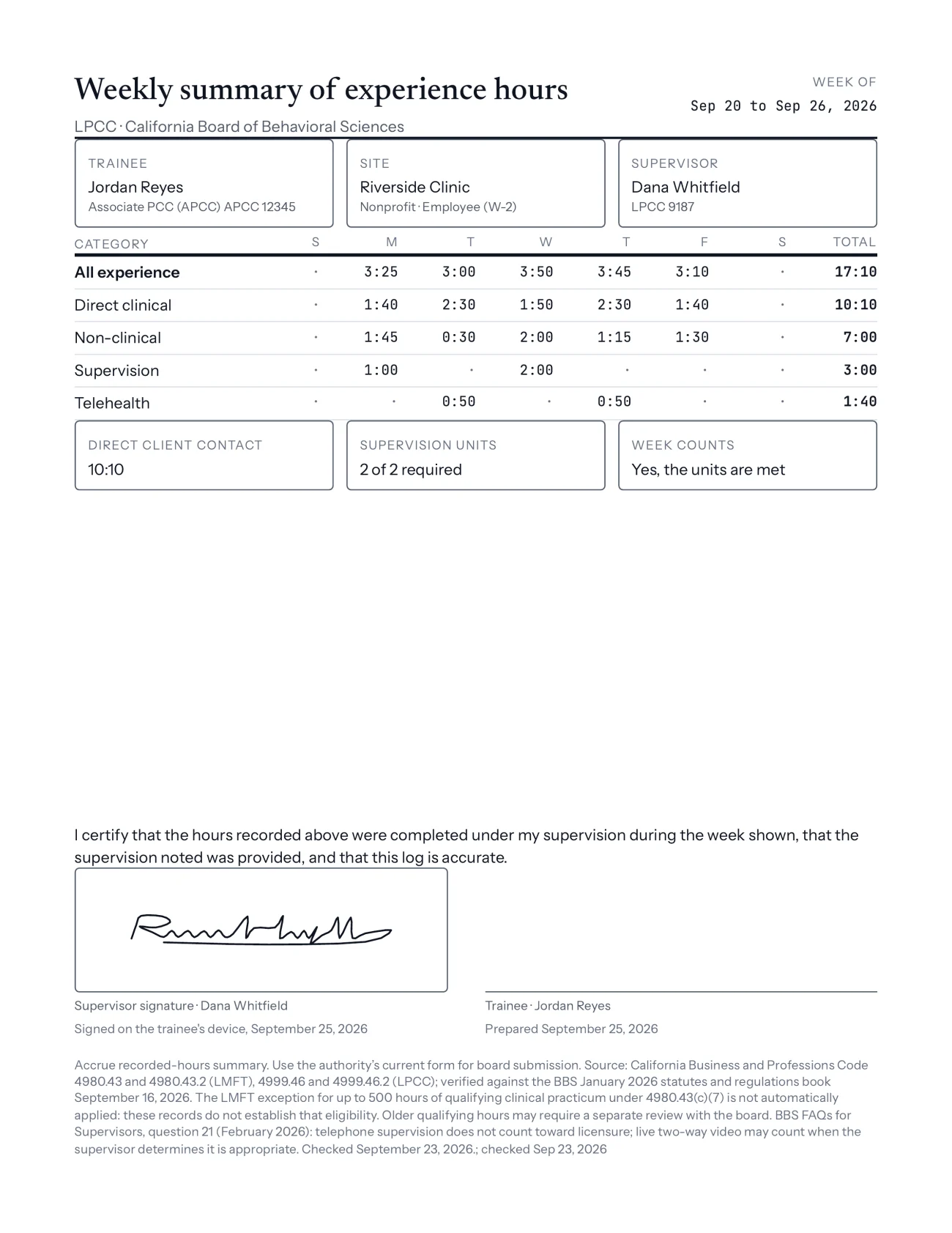
Weekly summaries list hours by day and category, supervision units, whether the week meets the ledger’s supervision gate, and the supervisor’s signature. The signed summary stays with your records.
Exports support a specific handoff: a comprehensive PDF, CSV hours, California BBS weekly logs and in-state experience verification, and filing links for Texas and New York. Review every form with your supervisor. Accrue does not submit it or decide that it is ready for a board.
Accrue is a record-keeping aid. Your board, school or program decides whether it accepts your hours and whether you are eligible.
Explore rules and coverage